SinterPixels Demos, Part 2: A Gear Shape
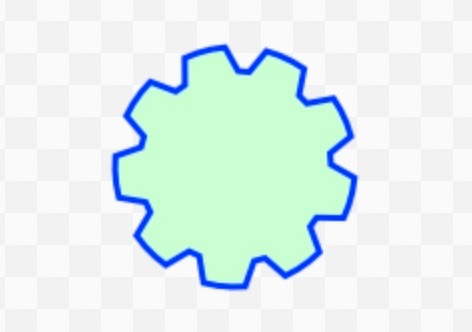
My new app, SinterPIxels, is in the App Store. For the second installment in the series of examples of what one can do with SinterPixels, I’ll go through what’s required to make this gear shape.
One of the basic shapes in SinterPixels is the polygon. This gear is just a polygon, where the outer edge is roughly a circle, but with notches for each tooth.
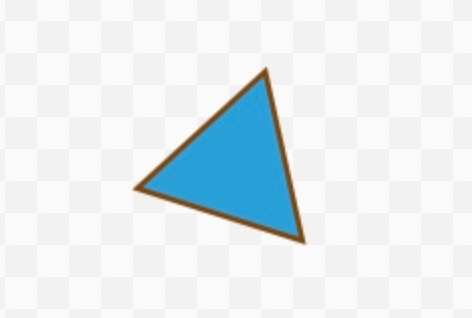
A polygon can be defined by a sequence of radii, so for example, the sequence {50, 50, 50} just creates a triangle, three points each with a radius from the center of 50:
tell application "SinterPixels"
tell document 1
make new polygon with properties {radii:{50, 50, 50}}
end tell
end tell
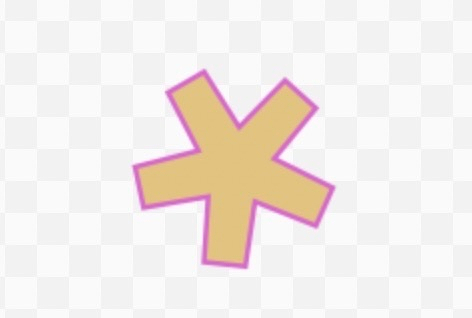
If we use 15 vertexes, and alter the radii with the pattern “long, long, short”, it produces an asterisk:
tell application "SinterPixels"
tell document 1
make new polygon with properties {radii:{50, 50, 20, 50, 50, 20, 50, 50, 20, 50, 50, 20, 50, 50, 20}, position:{0, 0}}
end tell
end tell
Let’s extend that idea to make our gear, but to generate the list of radii, lets write a helper function that takes in a number of teeth, a radius and a tooth depth
to gearRadii(numberOfTeeth, rad, depth)
set rList to {}
repeat with s from 1 to numberOfTeeth
set rList to rList & {rad, rad, rad, rad}
set rList to rList & {(rad - depth), (rad - depth)}
end repeat
return rList
end gearRadii
Now, our script can get a list of radii for lots of different gears, and just make a polygon. Lihe the circles in our previous demo, polygons have color, fill color, and line width properties, so we can set exactly the colors we want:
set radiiList to my gearRadii(9, 60, 12)
tell application "SinterPixels"
tell document 1
make new polygon with properties {radii:radiiList, color:blue, fill color:{0.8, 1.0, 0.8}, line width:3}
end tell
end tell
This script generates the shape at the top of the post!
Hope you try our SinterPIxels on the App Store, and check out all the user documentation at the github repo.