SinterPixels Examples: Blue flowers
SinterPixels is in the app store! Todays example is some simple blue flowers:
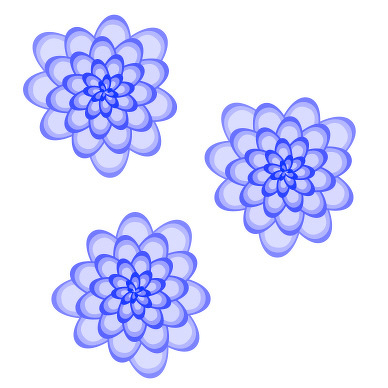
Here’s the script that generates the image:
to petalPath(len, ang, spread)
	using terms from application "SinterPixels"
		set angRadians to ang * 3.141 / 180
		set p1 to {position:{0, 0}, tangent:ang + spread}
		set p2 to {position:{radius:len, angle:angRadians}, tangent:ang - 90}
		set p3 to {position:{0, 0}, tangent:ang + 180 - spread}
		return {pts:{p1, p2, p3}}
	end using terms from
end petalPath

to makeAPetal(circlePos, ang, len)
	set petalBorderDataA to petalPath(len, ang, 100)
	set petalBorderDataB to petalPath(len - 5, ang, 60)
	set petalBorderDataC to petalPath(len - 10, ang, 20)
	set f to 1.0 - (len / 200)
	set fca to {1.0 - f, 1.0 - f, 1.0}
	set fcb to {1.0 - (f * 0.6), 1.0 - (f * 0.6), 1.0}
	set fcc to {1.0 - (f * 0.3), 1.0 - (f * 0.3), 1.0}

	tell application "SinterPixels"
		tell document 1
			make new path with properties {fill color:fca, line width:0, position:circlePos, closed:false, anchor data:pts of petalBorderDataA}
			make new path with properties {fill color:fcb, line width:0, position:circlePos, closed:false, anchor data:pts of petalBorderDataB}
			make new path with properties {fill color:fcc, line width:0, position:circlePos, closed:false, anchor data:pts of petalBorderDataC}
		end tell
	end tell
end makeAPetal

to makeAFlower(circlePos)
	tell application "SinterPixels"
		tell document 1
			set centerCircle to make new circle with properties {position:circlePos, fill color:blue, radius:3, line width:0}
		end tell
	end tell
	set allAngles to {}
	repeat with a from 1 to 36
		set allAngles to allAngles & {a * 10}
	end repeat
	set ang to some item of allAngles
	repeat with n from 1 to 42
		makeAPetal(circlePos, ang + 132 * n, 90 - 2 * n)
	end repeat
end makeAFlower

makeAFlower({130, 20})
makeAFlower({-50, 100})
makeAFlower({-20, -100})