SinterPixels Demo Part 10: Rotating Tiles Movie
Back in part 5 of my series on SinterPixels demos: I showed how to make a grid by repeating this tile:
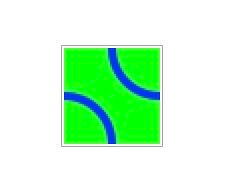 to make: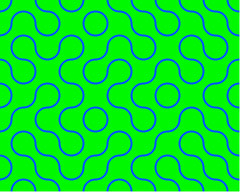
SinterPixels is great at making images like that, but SinterPixels is unique in how it generates movies. So after generating a grid like that, its easy to go ahead and generate a movie like this:
In the script, we just select a random tile and spin it by 90 degrees, saving a movie frame every 2 degrees. Here’s the script to generate the movie (prerequisite: make the grid as shown in the post here
tell application "SinterPixels"
tell document 1
start filming
record movie frame
repeat 10 times
set y to some item of {0, 1, 2, 3, 4, 5, 6, 7}
set x to some item of {1, 2, 3, 4, 5, 6, 7, 8, 9, 10}
set n to x + y * 10
set nthTile to layer n
set rot to rotation of nthTile
repeat with r from 1 to 45
set rotation of nthTile to rot + (r * 2)
record movie frame
end repeat
end repeat
stop filming
end tell
end tell